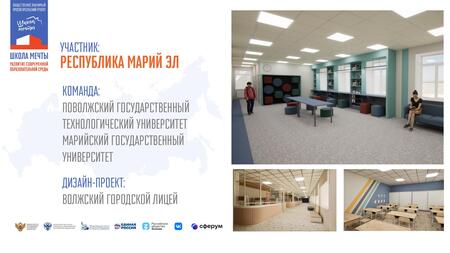
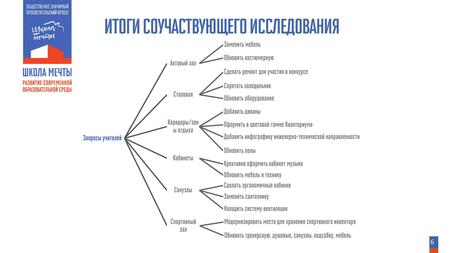
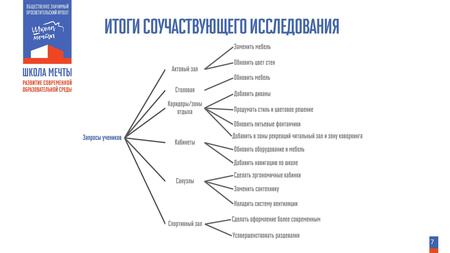
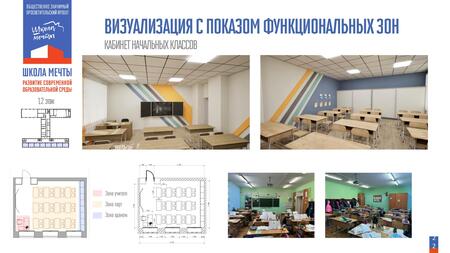
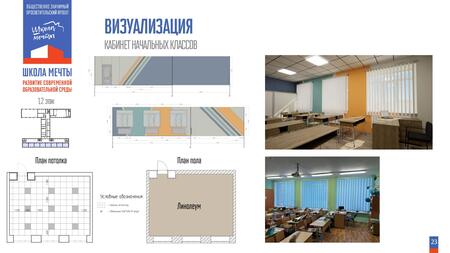
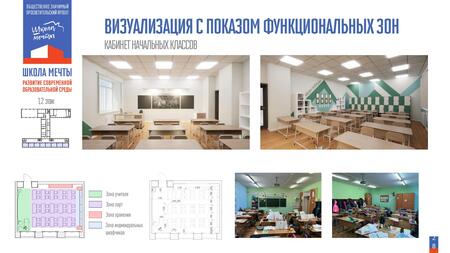
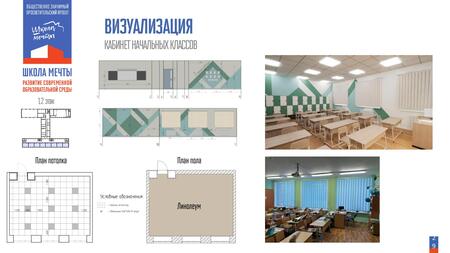
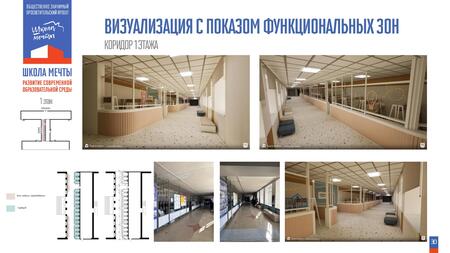
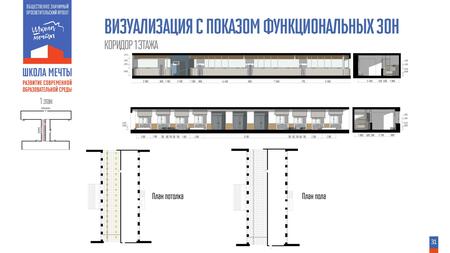
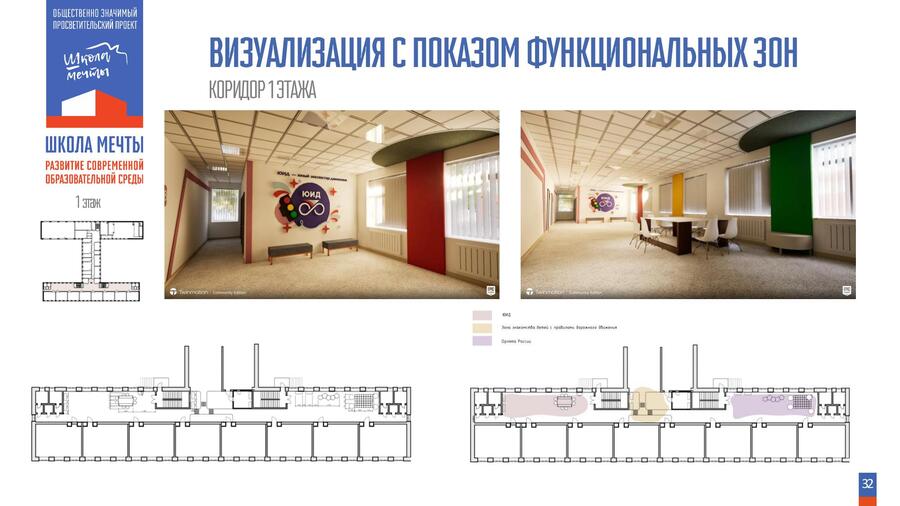
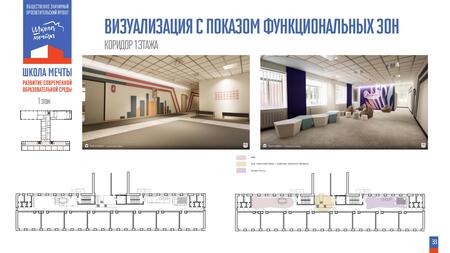
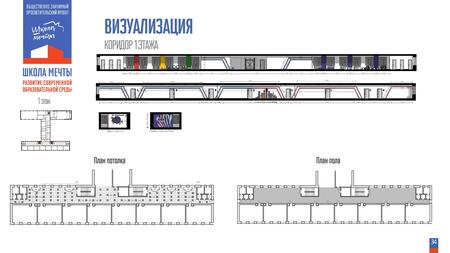
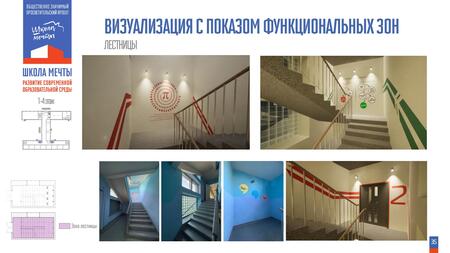
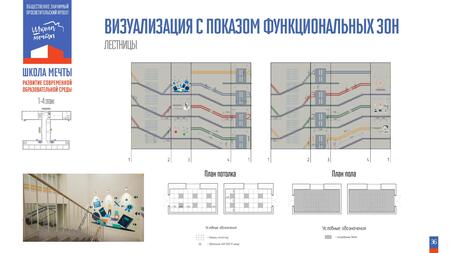
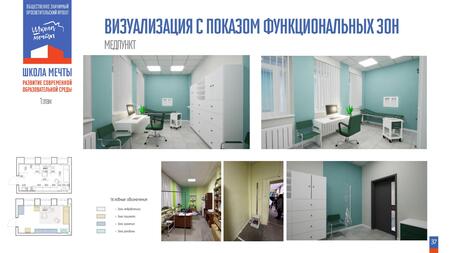
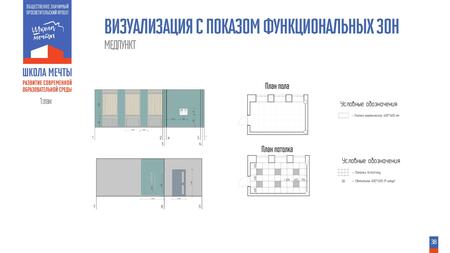
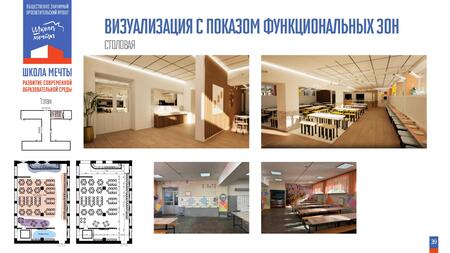
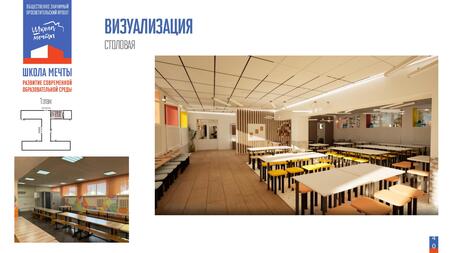
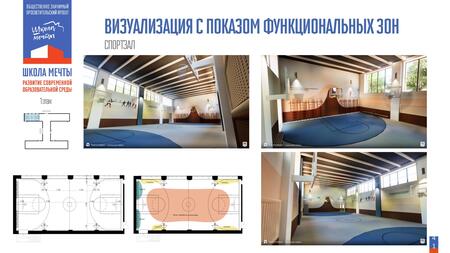
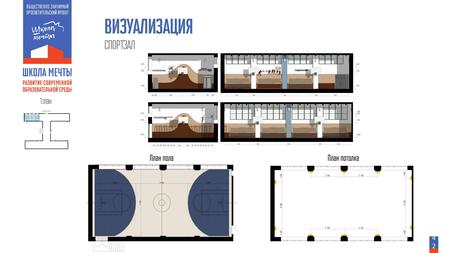
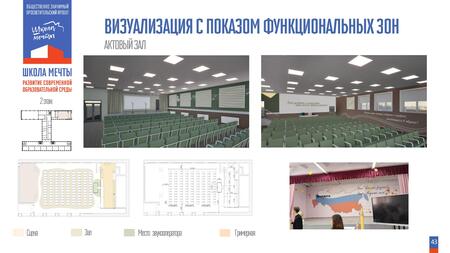
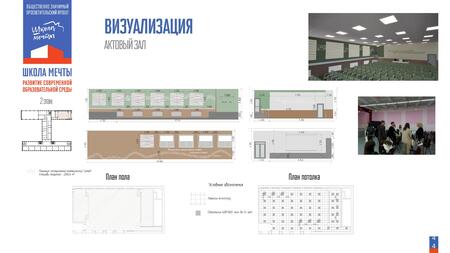
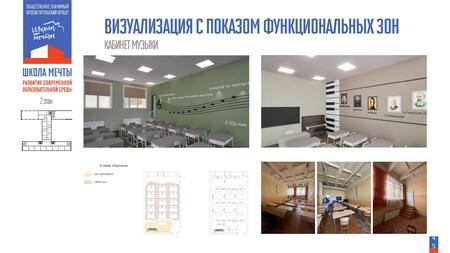
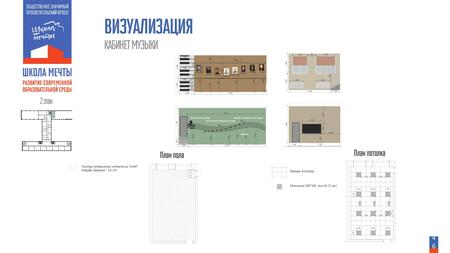
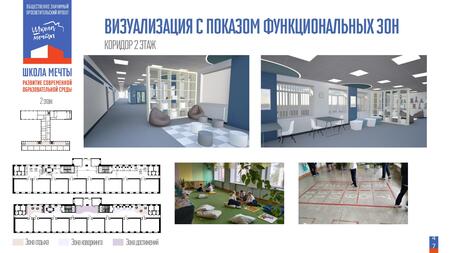
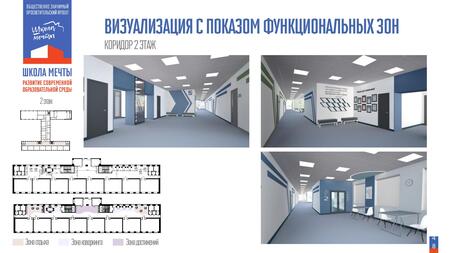
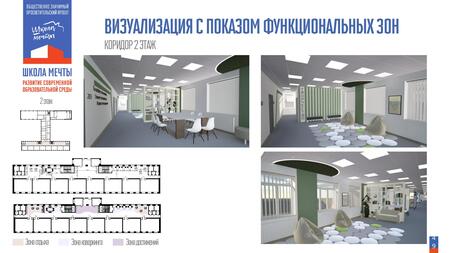
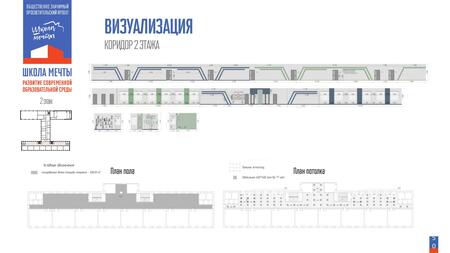
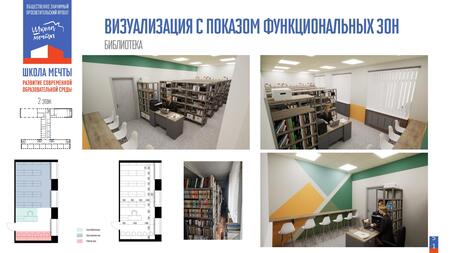
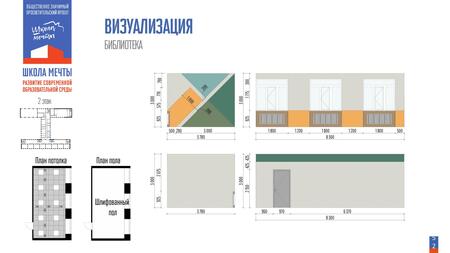
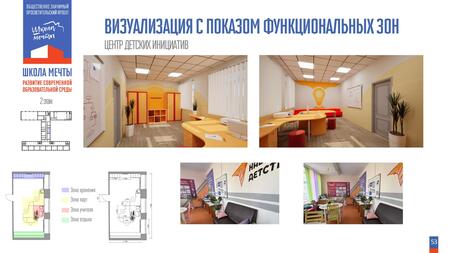
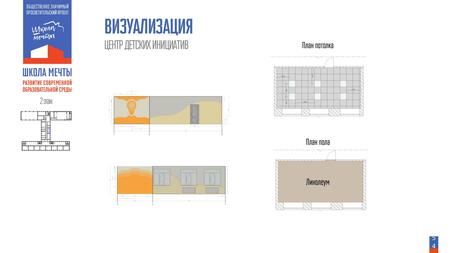
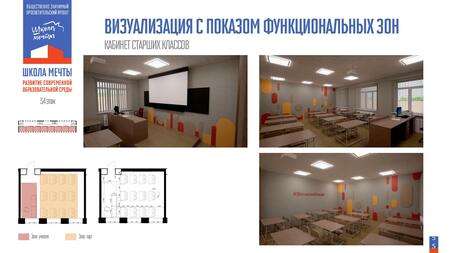
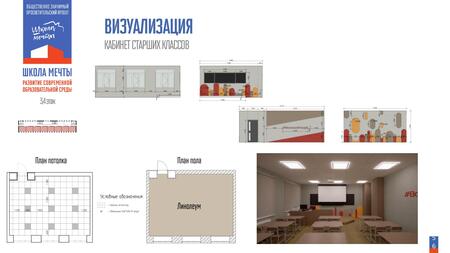
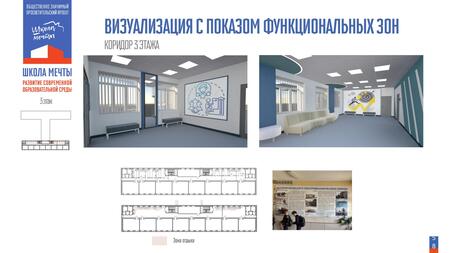
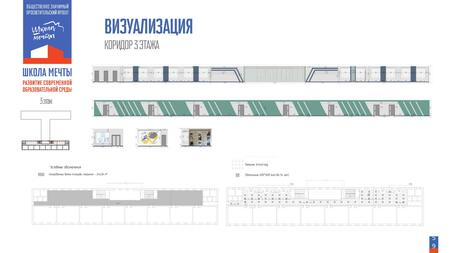
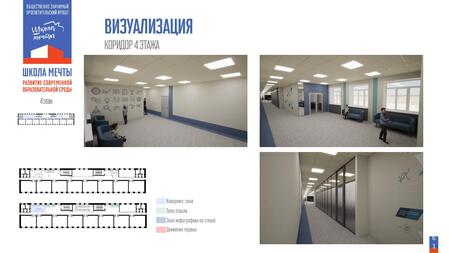
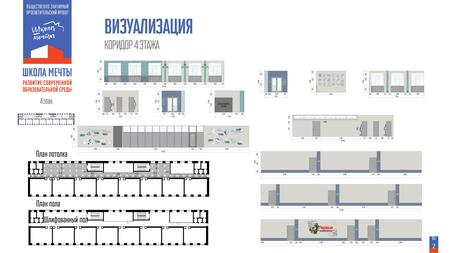
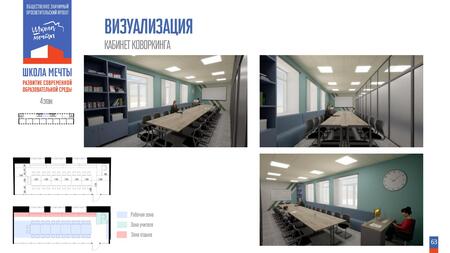
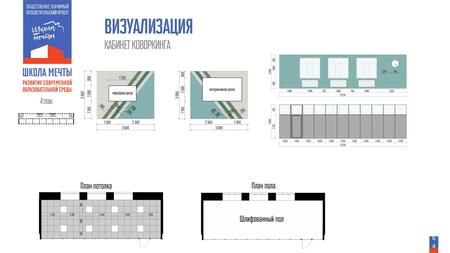
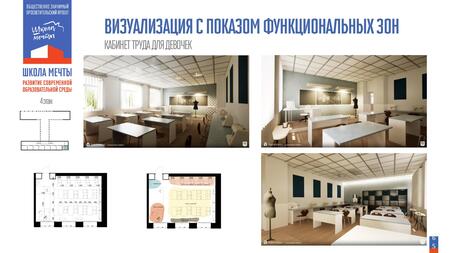
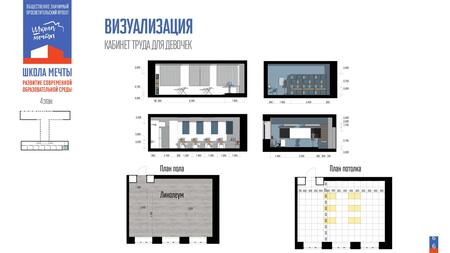
Дизайн Волжского городского лицея ориентирован на создание многофункциональной среды, стимулирующей техническое творчество, исследовательскую деятельность и социальное взаимодействие. Акцент делается на гибких пространствах, цифровизации и экологичности.
Дизайн-проект Волжского Городского Лицея
Волжский Городской Лицей (ВГЛ) активно развивает инновационные образовательные пространства, сочетающие функциональность, современные технологии и эстетику. Основные элементы дизайн-проекта включают:
Полина Столбушинская и её коллеги разработали дизайн Волжского Городского Лицея, ориентированный на техническое творчество и цифровизацию. Проект включает гибкие пространства, экологичные решения и сотрудничество с внешними экспертами.
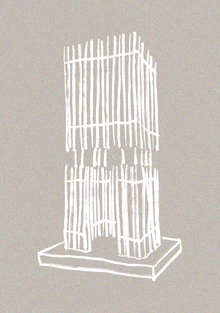
Автор Полина Шевчук создала проект «СОЛЯНОЙ СТОЛБ», вдохновлённый цитатой Курта Воннегута о женщине, превратившейся в соляной столб. Проект представлен в виде вертикальных труб, символизирующих невозможность спрятаться и необходимость замереть в ожидании будущего.
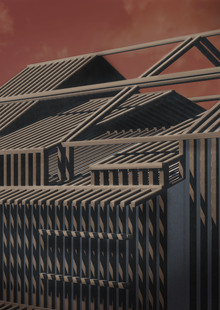
Ила Мороз создала проект временного графического и архитектурного фасада для выставочного пространства в Санкт-Петербурге. Графический фасад сочетает инженерную точность и художественный авангард, используя рабочие чертежи с абстрактными композициями в стиле линизма.
Анастасия Кравцова создала проект драматического театра в Магадане, вдохновлённый природой и историей региона. Театр расположен на берегу Нагатинской Бухты и органично вписывается в окружение, включая набережную парка «Маяк».
Ева Белоглазова создала фасады для выставки "MIRO", вдохновленные философией Хуана Миро и его взаимодействием с искусством и окружающим миром. Фасады отражают этапы творчества художника, включая графические элементы и цветовые слои, визуализируя процесс создания произведений.
Мы используем файлы cookies для улучшения работы сайта и большего удобства его использования. Более подробную информац...
Показать больше
Press space bar to start a drag.
When dragging you can use the arrow keys to move the item around and escape to cancel.
Some screen readers may require you to be in focus mode or to use your pass through key
Press space bar to start a drag.
When dragging you can use the arrow keys to move the item around and escape to cancel.
Some screen readers may require you to be in focus mode or to use your pass through key
Press space bar to start a drag.
When dragging you can use the arrow keys to move the item around and escape to cancel.
Some screen readers may require you to be in focus mode or to use your pass through key
Press space bar to start a drag.
When dragging you can use the arrow keys to move the item around and escape to cancel.
Some screen readers may require you to be in focus mode or to use your pass through key
Press space bar to start a drag.
When dragging you can use the arrow keys to move the item around and escape to cancel.
Some screen readers may require you to be in focus mode or to use your pass through key
Press space bar to start a drag.
When dragging you can use the arrow keys to move the item around and escape to cancel.
Some screen readers may require you to be in focus mode or to use your pass through key
Press space bar to start a drag.
When dragging you can use the arrow keys to move the item around and escape to cancel.
Some screen readers may require you to be in focus mode or to use your pass through key
Press space bar to start a drag.
When dragging you can use the arrow keys to move the item around and escape to cancel.
Some screen readers may require you to be in focus mode or to use your pass through key
Press space bar to start a drag.
When dragging you can use the arrow keys to move the item around and escape to cancel.
Some screen readers may require you to be in focus mode or to use your pass through key
Press space bar to start a drag.
When dragging you can use the arrow keys to move the item around and escape to cancel.
Some screen readers may require you to be in focus mode or to use your pass through key
Press space bar to start a drag.
When dragging you can use the arrow keys to move the item around and escape to cancel.
Some screen readers may require you to be in focus mode or to use your pass through key
Press space bar to start a drag.
When dragging you can use the arrow keys to move the item around and escape to cancel.
Some screen readers may require you to be in focus mode or to use your pass through key
Press space bar to start a drag.
When dragging you can use the arrow keys to move the item around and escape to cancel.
Some screen readers may require you to be in focus mode or to use your pass through key
Press space bar to start a drag.
When dragging you can use the arrow keys to move the item around and escape to cancel.
Some screen readers may require you to be in focus mode or to use your pass through key
Press space bar to start a drag.
When dragging you can use the arrow keys to move the item around and escape to cancel.
Some screen readers may require you to be in focus mode or to use your pass through key
Press space bar to start a drag.
When dragging you can use the arrow keys to move the item around and escape to cancel.
Some screen readers may require you to be in focus mode or to use your pass through key
Press space bar to start a drag.
When dragging you can use the arrow keys to move the item around and escape to cancel.
Some screen readers may require you to be in focus mode or to use your pass through key
Press space bar to start a drag.
When dragging you can use the arrow keys to move the item around and escape to cancel.
Some screen readers may require you to be in focus mode or to use your pass through key
Press space bar to start a drag.
When dragging you can use the arrow keys to move the item around and escape to cancel.
Some screen readers may require you to be in focus mode or to use your pass through key
Press space bar to start a drag.
When dragging you can use the arrow keys to move the item around and escape to cancel.
Some screen readers may require you to be in focus mode or to use your pass through key
Press space bar to start a drag.
When dragging you can use the arrow keys to move the item around and escape to cancel.
Some screen readers may require you to be in focus mode or to use your pass through key
Press space bar to start a drag.
When dragging you can use the arrow keys to move the item around and escape to cancel.
Some screen readers may require you to be in focus mode or to use your pass through key
Press space bar to start a drag.
When dragging you can use the arrow keys to move the item around and escape to cancel.
Some screen readers may require you to be in focus mode or to use your pass through key