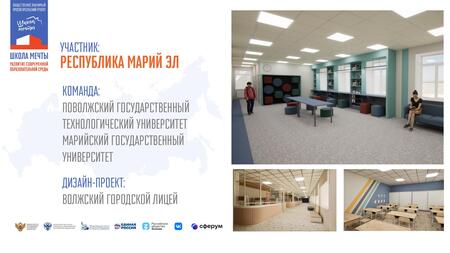
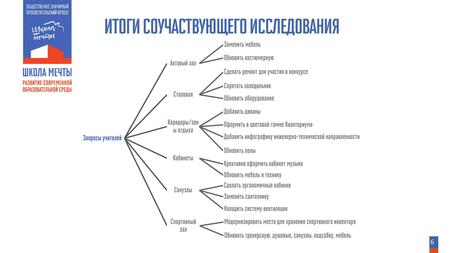
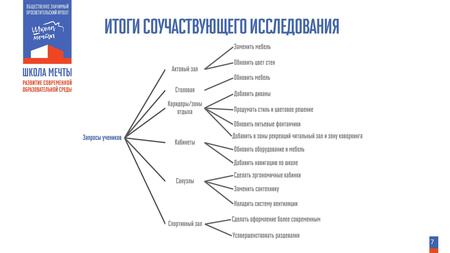
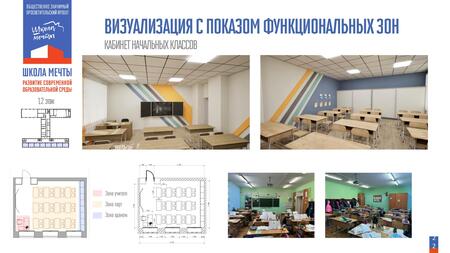
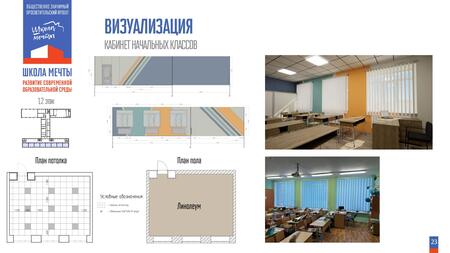
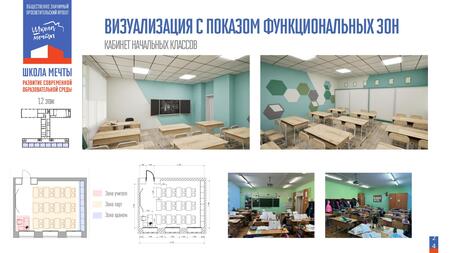
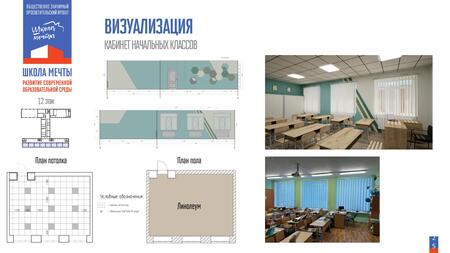
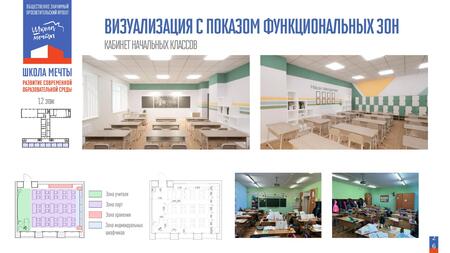
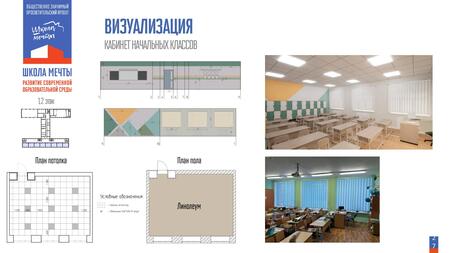
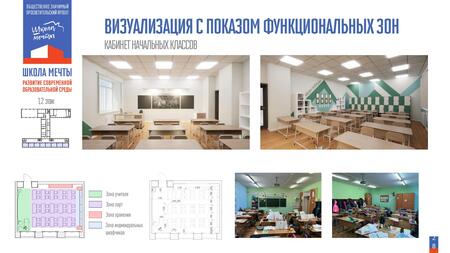
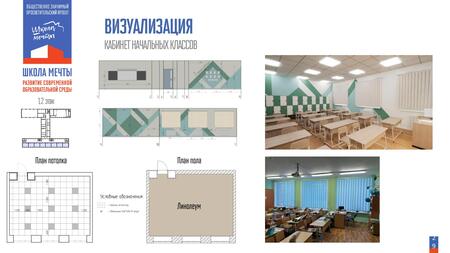
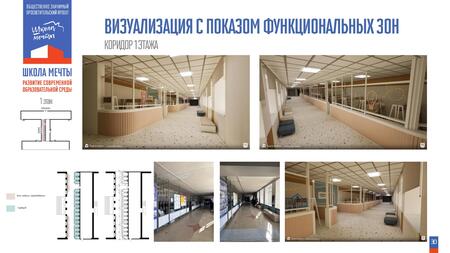
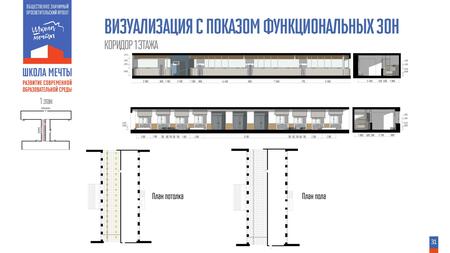
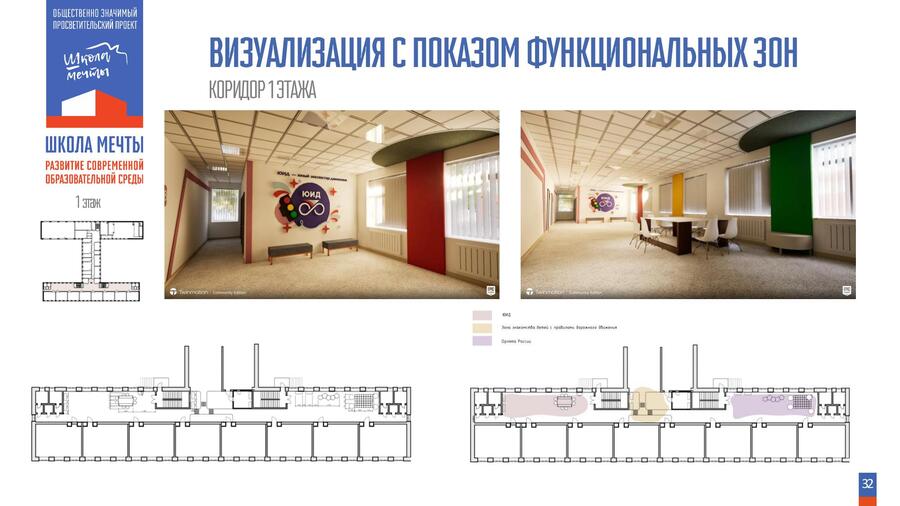
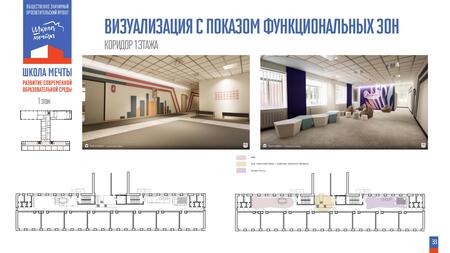
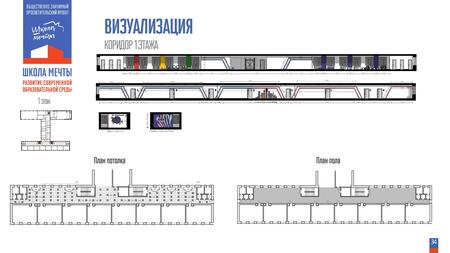
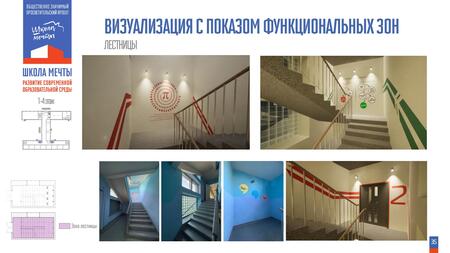
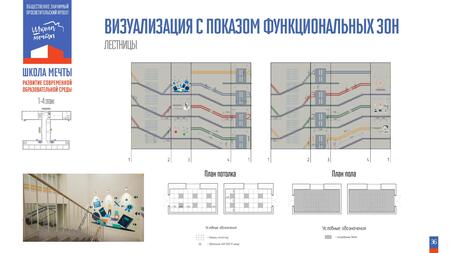
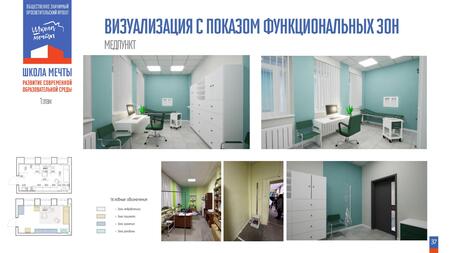
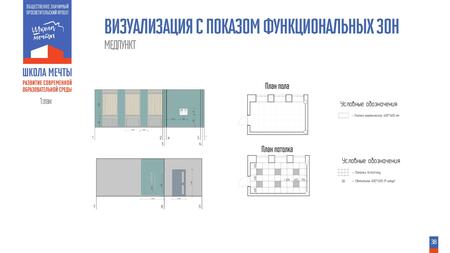
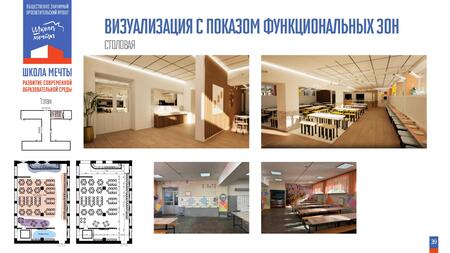
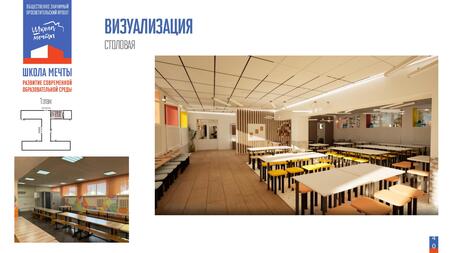
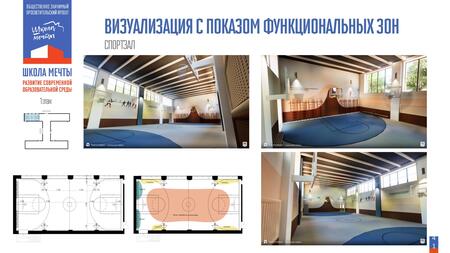
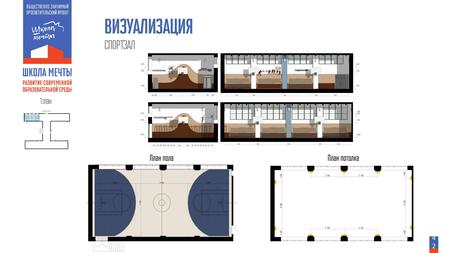
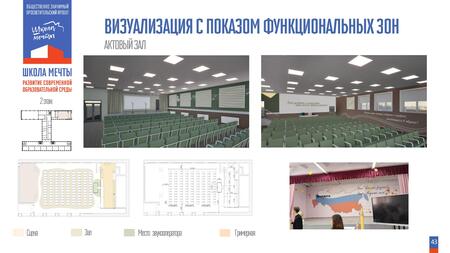
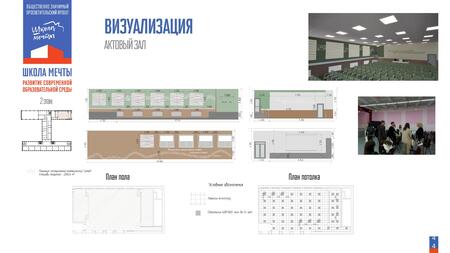
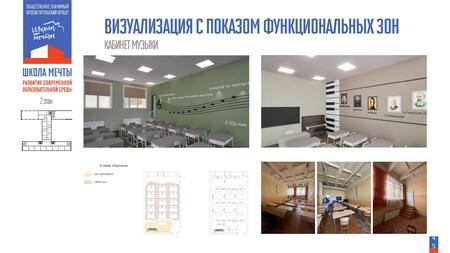
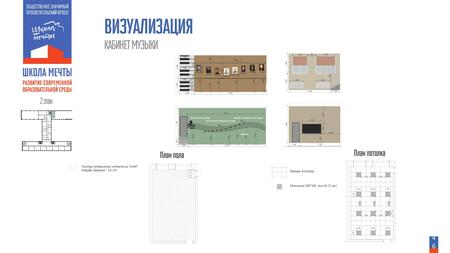
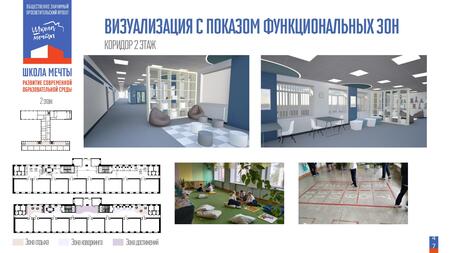
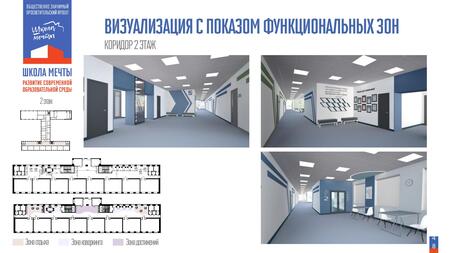
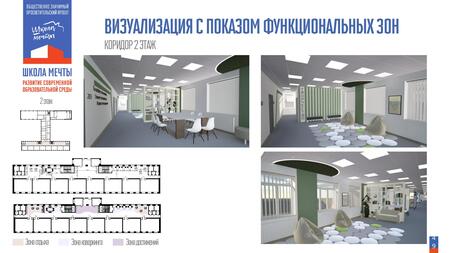
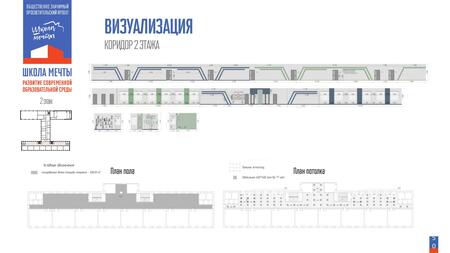
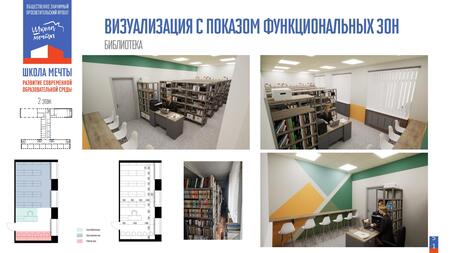
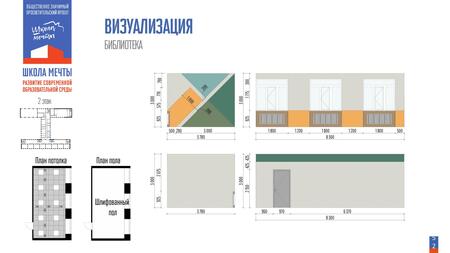
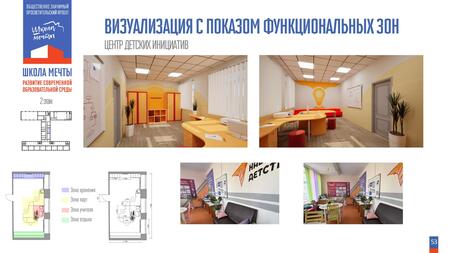
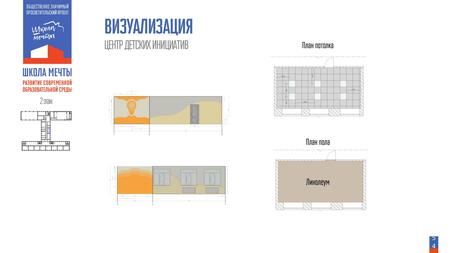
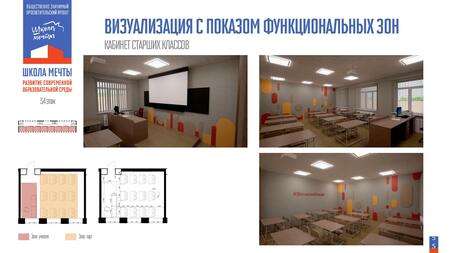
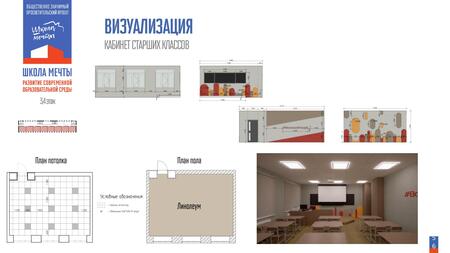
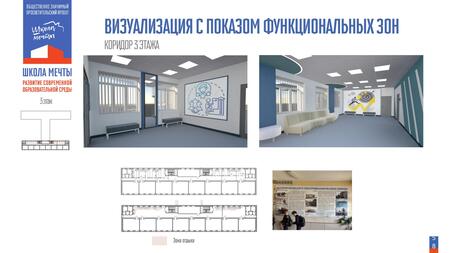
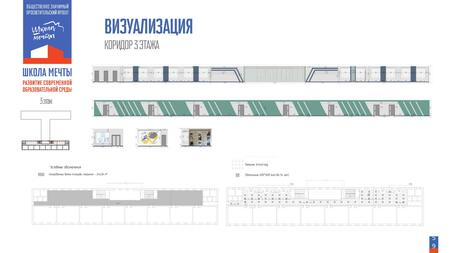
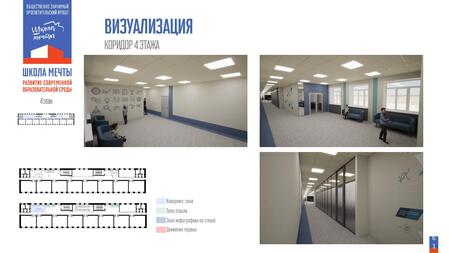
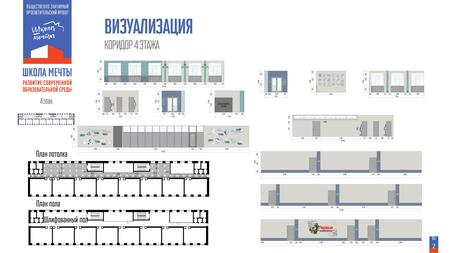
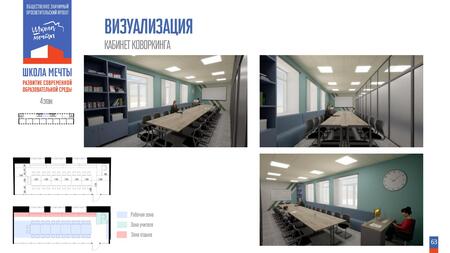
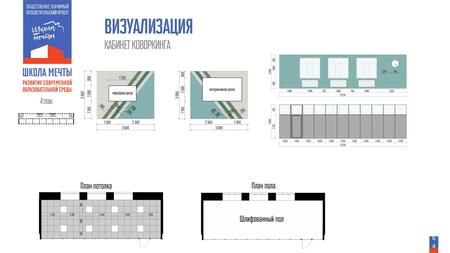
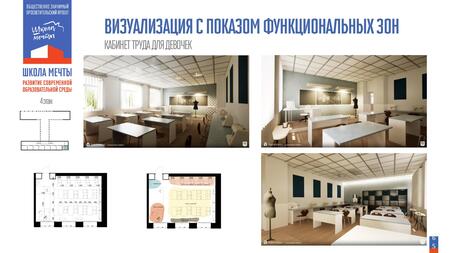
Дизайн Волжского городского лицея ориентирован на создание многофункциональной среды, стимулирующей техническое творчество, исследовательскую деятельность и социальное взаимодействие. Акцент делается на гибких пространствах, цифровизации и экологичности.
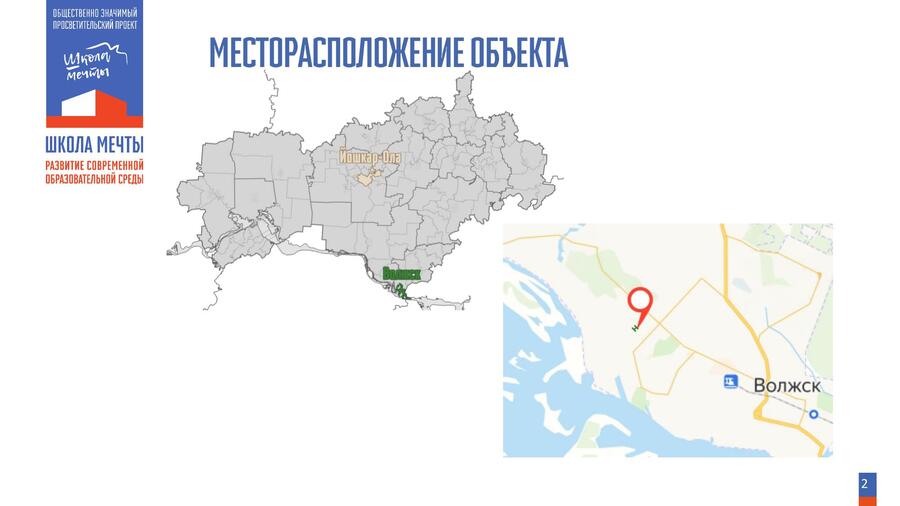
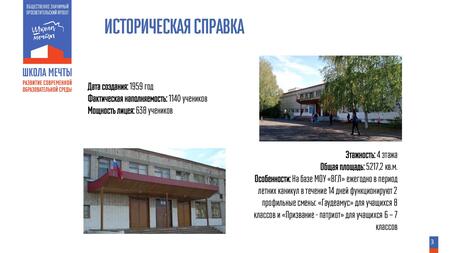
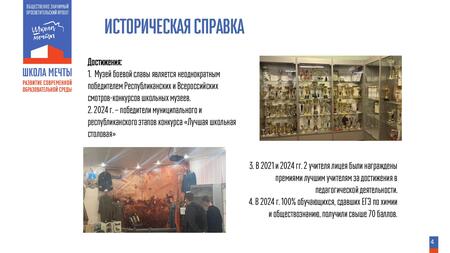
Дизайн-проект Волжского Городского Лицея
Волжский Городской Лицей (ВГЛ) активно развивает инновационные образовательные пространства, сочетающие функциональность, современные технологии и эстетику. Основные элементы дизайн-проекта включают:
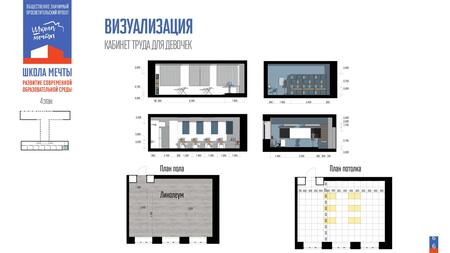
Полина Столбушинская и её коллеги разработали дизайн Волжского Городского Лицея, ориентированный на техническое творчество и цифровизацию. Проект включает гибкие пространства, экологичные решения и сотрудничество с внешними экспертами.
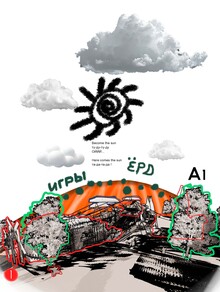
Юрий Аграфонов разработал концепцию Ёрдынских игр, включающую спортивные и артобъекты на территории рядом с озером Байкал. Проект предполагает использование спиральных дорожек и искусственных холмов для создания визуальных коридоров к Байкалу и зон для соревнований.
Бюро Земля разработало проект благоустройства частной резиденции N.N. в Подмосковье, расположенной на берегу Москва-реки. Проект включает многоуровневый ландшафт с озелененными крышами, террасами и зонами отдыха, органично связывающими архитектуру и природу.
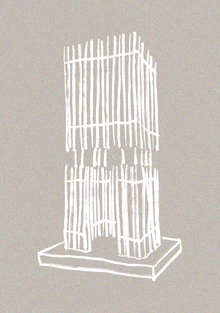
Автор Полина Шевчук создала проект «СОЛЯНОЙ СТОЛБ», вдохновлённый цитатой Курта Воннегута о женщине, превратившейся в соляной столб. Проект представлен в виде вертикальных труб, символизирующих невозможность спрятаться и необходимость замереть в ожидании будущего.
Аделия Ахмадеева создала графические фасады для выставки «С любовью к цвету». Проект основан на параллели между ослепляющим камуфляжем и принципами цветописи.
365.mediiia
365.mediiia — платформа дизайнерских брендов, созданных в коллаборации со Школой дизайна НИУ ВШЭ, и пространство для партнёрства с бизнесом. Мы создаём концепции, которые обретают форму в разных носителях — от постеров и текстиля до предметов быта и аксессуаров. А в офлайн-пространстве «365», мультибрендовом магазине и лаборатории подарков, можно не только приобрести готовые изделия, но и воплотить идею прямо на месте. Дарите и вы... Показать больше
Мы используем файлы cookies для улучшения работы сайта и большего удобства его использования. Более подробную информац...
Показать больше
Press space bar to start a drag.
When dragging you can use the arrow keys to move the item around and escape to cancel.
Some screen readers may require you to be in focus mode or to use your pass through key
Press space bar to start a drag.
When dragging you can use the arrow keys to move the item around and escape to cancel.
Some screen readers may require you to be in focus mode or to use your pass through key
Press space bar to start a drag.
When dragging you can use the arrow keys to move the item around and escape to cancel.
Some screen readers may require you to be in focus mode or to use your pass through key
Press space bar to start a drag.
When dragging you can use the arrow keys to move the item around and escape to cancel.
Some screen readers may require you to be in focus mode or to use your pass through key
Press space bar to start a drag.
When dragging you can use the arrow keys to move the item around and escape to cancel.
Some screen readers may require you to be in focus mode or to use your pass through key
Press space bar to start a drag.
When dragging you can use the arrow keys to move the item around and escape to cancel.
Some screen readers may require you to be in focus mode or to use your pass through key
Press space bar to start a drag.
When dragging you can use the arrow keys to move the item around and escape to cancel.
Some screen readers may require you to be in focus mode or to use your pass through key
Press space bar to start a drag.
When dragging you can use the arrow keys to move the item around and escape to cancel.
Some screen readers may require you to be in focus mode or to use your pass through key
Press space bar to start a drag.
When dragging you can use the arrow keys to move the item around and escape to cancel.
Some screen readers may require you to be in focus mode or to use your pass through key
Press space bar to start a drag.
When dragging you can use the arrow keys to move the item around and escape to cancel.
Some screen readers may require you to be in focus mode or to use your pass through key
Press space bar to start a drag.
When dragging you can use the arrow keys to move the item around and escape to cancel.
Some screen readers may require you to be in focus mode or to use your pass through key
Press space bar to start a drag.
When dragging you can use the arrow keys to move the item around and escape to cancel.
Some screen readers may require you to be in focus mode or to use your pass through key
Press space bar to start a drag.
When dragging you can use the arrow keys to move the item around and escape to cancel.
Some screen readers may require you to be in focus mode or to use your pass through key
Press space bar to start a drag.
When dragging you can use the arrow keys to move the item around and escape to cancel.
Some screen readers may require you to be in focus mode or to use your pass through key
Press space bar to start a drag.
When dragging you can use the arrow keys to move the item around and escape to cancel.
Some screen readers may require you to be in focus mode or to use your pass through key
Press space bar to start a drag.
When dragging you can use the arrow keys to move the item around and escape to cancel.
Some screen readers may require you to be in focus mode or to use your pass through key
Press space bar to start a drag.
When dragging you can use the arrow keys to move the item around and escape to cancel.
Some screen readers may require you to be in focus mode or to use your pass through key
Press space bar to start a drag.
When dragging you can use the arrow keys to move the item around and escape to cancel.
Some screen readers may require you to be in focus mode or to use your pass through key
Press space bar to start a drag.
When dragging you can use the arrow keys to move the item around and escape to cancel.
Some screen readers may require you to be in focus mode or to use your pass through key
Press space bar to start a drag.
When dragging you can use the arrow keys to move the item around and escape to cancel.
Some screen readers may require you to be in focus mode or to use your pass through key
Press space bar to start a drag.
When dragging you can use the arrow keys to move the item around and escape to cancel.
Some screen readers may require you to be in focus mode or to use your pass through key
Press space bar to start a drag.
When dragging you can use the arrow keys to move the item around and escape to cancel.
Some screen readers may require you to be in focus mode or to use your pass through key
Press space bar to start a drag.
When dragging you can use the arrow keys to move the item around and escape to cancel.
Some screen readers may require you to be in focus mode or to use your pass through key